

AI Systems Integration · 12 min read
AI Agent vs Chatbot - What Is the Difference? | Yunitelabs
Yunitelabs · 11/24/2026
AI agent vs chatbot: what's the real difference? Compare capabilities, costs, risks and practical business examples to find out which one your business actually needs.
Quick Answer: A chatbot is mainly designed to answer questions and have conversations, while an AI agent can plan steps, use connected tools and complete tasks with varying levels of autonomy. Chatbots are useful for customer support, FAQs and simple enquiries. AI agents are better suited to tasks that involve multiple systems, changing conditions and decisions along the way. Which one should you choose? If your business mainly needs to answer questions, start with a chatbot. If you need AI to investigate issues, update CRM records or coordinate workflows across different tools, an AI agent may be a better fit. For predictable tasks, traditional automation can be simpler and more reliable.
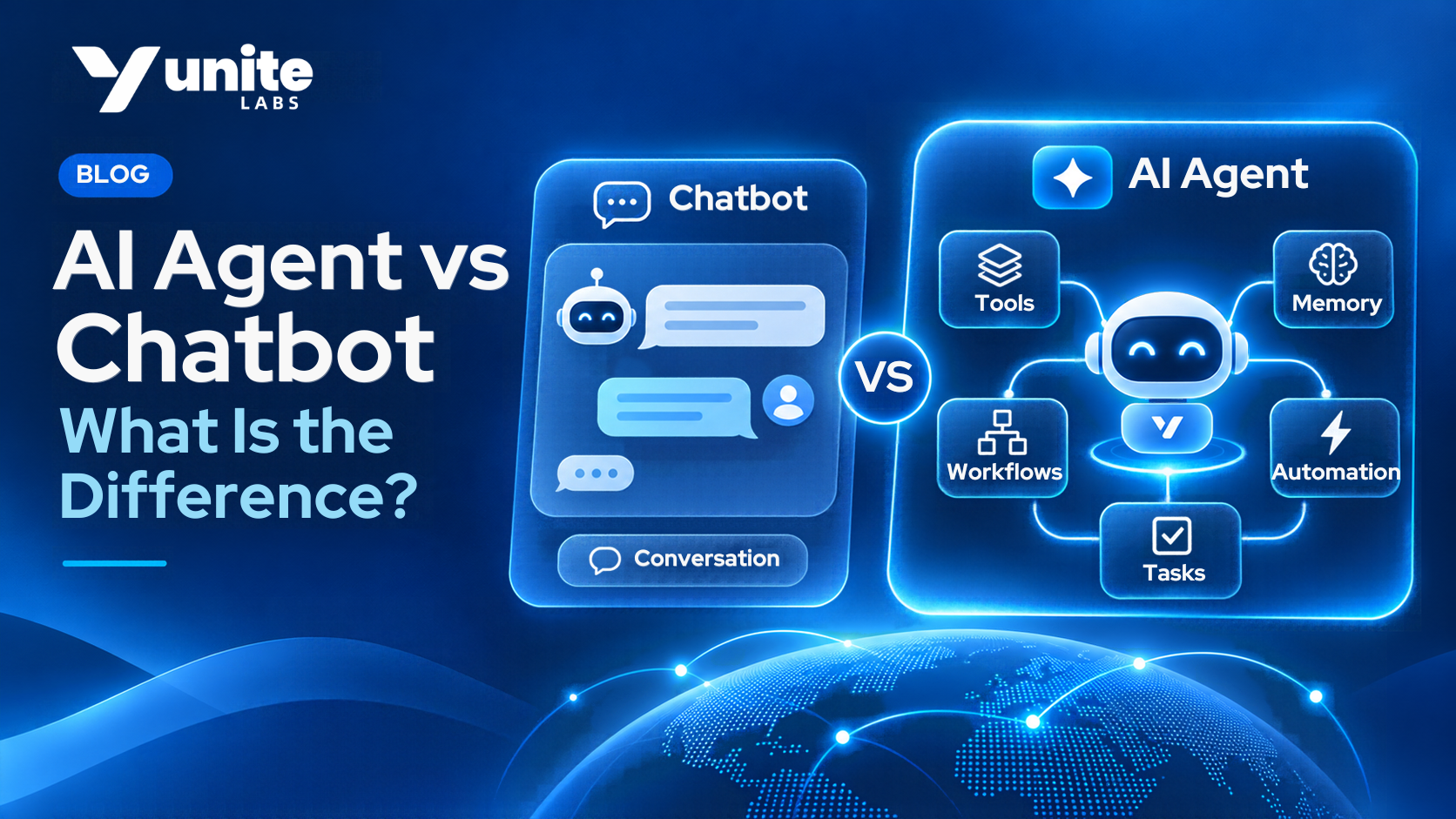
AI Agent vs Chatbot: What Is the Difference?
Quick answer: A chatbot is designed mainly to hold a conversation and help someone get an answer. An AI agent is designed to work toward a goal, choosing steps and using connected tools to complete a task. A chatbot can look up live data or run a fixed workflow, and an agent can have a chat interface. The useful difference is how much control the system has over what happens next.
Which should you choose? Use a chatbot for questions, guidance and simple support. Use a fixed automation for predictable steps. Consider an AI agent when a task changes from case to case, requires several systems and needs decisions along the way.
It sounds like an easy choice until you watch a product demo. One vendor calls its support widget an AI agent. Another calls the same kind of tool a chatbot. Both can sound fluent, both might pull information from your database, and both can look pretty impressive for five minutes.
So forget the label for a moment.
The better question is: do you need software that answers a question, or software that helps finish the work?
The difference in one line
A chatbot is built around conversation. An AI agent is built around completing a goal. That is the simplest way to explain AI agent vs chatbot, but it is not a hard technical boundary.
For example, a chatbot may answer, "Where is my order?" by checking an order API. That doesn't automatically make it a fully autonomous agent. An agent may take a broader request such as "Find out why this order is late and suggest a resolution," then decide which systems to check and what to do based on what it finds.
| Question | Chatbot | AI agent |
|---|---|---|
| Main purpose | Answer, guide or collect information through conversation | Work toward a goal and carry out a task |
| Next steps | Usually follows a prompt, retrieval flow or defined process | Can select and revise steps as new information comes in |
| Access to tools | Possible, including databases and APIs | Usually central to the design |
| Conversation required? | Usually yes | No. Some agents operate behind the scenes |
| Typical business fit | FAQs, product advice, knowledge search, basic triage | Multi-system investigations, ticket resolution, complex internal tasks |
| Biggest concern | Incorrect or misleading answers | Incorrect answers plus unwanted or failed actions |
| Complexity and operating cost | Often lower for a narrow use case | Often higher because of extra steps, tool calls and controls |
The key word here is can. A chatbot can call an API. An agent can ask for approval before it acts. And a rule-based automation might do the job more reliably than either. The architecture matters more than the marketing name.
What a chatbot is good at
Chatbots are not old technology that businesses need to replace just because agents are getting attention. A well-built chatbot is still a good choice when people mainly need information, not a complicated process running in the background.
Take a software company with hundreds of help articles. Customers ask about pricing, account settings, integrations and password resets. A chatbot that retrieves answers from approved documentation can make support much easier to navigate. It can also say when it doesn't know, then pass the conversation to a person.
Good chatbot use cases include:
- Customer FAQs: Explaining plans, policies, opening hours and product features.
- Internal knowledge search: Helping employees find the right process or document.
- Lead qualification: Asking a few relevant questions and sending the details to sales.
- Simple account queries: Showing an order status or subscription detail through an approved API.
- Support triage: Collecting the issue and routing it to the right team.
Some chatbots use fixed replies. Others use large language models and retrieval-augmented generation (RAG) to answer from a company knowledge base. Some even call tools. None of these features, on their own, tell you whether you have an agent.
And that is fine. If the customer gets the correct answer without a long wait, you probably don't need a more complicated architecture.
What an AI agent actually does
An AI agent goes beyond producing the next message. It has a goal, instructions and access to tools. Depending on the design, it can work out which steps to take, use a tool, inspect the result and decide what to do next.
OpenAI describes agents in terms of models, instructions and tools. Anthropic makes a helpful distinction between predefined workflows and agents where a model directs its own process. Those are useful definitions because they focus on behavior rather than what the interface looks like.
An example: a delayed customer order
Imagine a customer writes, "My package says delivered, but I can't find it. Can you help?"
A chatbot might explain the delivery policy, check the tracking status and open a support ticket. That may be enough.
An agent, if it has the right permissions and integrations, could follow a longer path:
- Find the order in the commerce system.
- Check the carrier's latest delivery events.
- Compare the situation with the company's support policy.
- Request missing information from the customer if needed.
- Prepare a suitable next action, such as an investigation or replacement request.
- Ask a human to approve any refund or other sensitive change.
- Update the ticket and tell the customer what happened.
Notice that the value is not the agent's ability to write a polite reply. A chatbot already does that. The value is its ability to coordinate the work between systems, and to stop when it needs a person.
AI agent, agentic workflow or plain automation?
These three often get mixed together:
- Fixed automation: Every form submission creates a CRM contact and notifies sales. The steps are predetermined.
- AI-assisted workflow: A model classifies the enquiry, then a fixed process sends it to the right team.
- AI agent: The system decides which approved tools and steps are needed to investigate or complete the enquiry, within set limits.
If the steps are always the same, a fixed workflow is often easier to test and maintain. Adding autonomy where it isn't needed can create more problems than it solves.
What connects an agent to your software?
Agents typically work through APIs, tool functions and connectors. Model Context Protocol (MCP) can provide a standard way to expose tools and relevant context to an AI application, but it does not replace the underlying permissions, APIs or business rules.
This is where AI systems integration becomes important. An agent can only do useful work when it can reach the right data and perform the right actions safely.
Cost, risk and failure modes
People often ask, "Is an AI agent more expensive than a chatbot?" Usually, for comparable scope, yes. But the label alone won't tell you the price. A basic agent with two read-only tools might be cheap to run. A high-traffic chatbot with complex retrieval, voice and lots of integrations might cost considerably more.
What you actually pay for
| Cost driver | Chatbot | AI agent |
|---|---|---|
| Initial development | Conversation design, knowledge setup, interface and testing | Workflow design, integrations, tool permissions, recovery logic and testing |
| Model usage | Often fewer model calls per request | Can require multiple model calls and tool-result processing per task |
| System integrations | Optional or narrow | Often a major part of the project |
| Ongoing operations | Content updates, answer evaluation and monitoring | Tool monitoring, approval handling, security review and task evaluation |
A practical way to compare ongoing costs is:
Monthly operating cost = requests or tasks × average model and tool cost per task + infrastructure + monitoring + human review.
Do not compare a chatbot's cost per message with an agent's cost per completed task and assume they mean the same thing. A useful agent might finish work that would otherwise take a staff member several minutes. On the other hand, an agent that loops through tools without solving the problem is just expensive automation.
Before buying anything, ask for a pilot that measures cost per successful outcome, not just cost per conversation.
What can go wrong?
Both kinds of systems can give inaccurate answers. Agents add a second category of risk because they can interact with real systems.
- Wrong information: The system invents a policy or misreads a document.
- Wrong action: An agent updates the wrong contact, sends an incorrect message or duplicates a request.
- Too much access: A tool exposes records that the user should not see.
- Prompt injection: Untrusted text in an email or web page tries to redirect the agent's behavior.
- Uncontrolled loops: Repeated tool calls raise cost and delay without making progress.
- Silent failures: A tool fails, but the system acts as if a task is complete.
For a business system, sensible protections include least-privilege access, read-only operations first, action limits, clear logs, retries that don't duplicate transactions and human approval for sensitive changes. Sending a refund, deleting data or changing a customer's account should not happen merely because the model sounds confident.
OpenAI's research on prompt injection in agents explains why a system that reads untrusted information and can take actions needs careful boundaries.
Choosing for your use case
Here's a simple test. Write down the job you want the system to complete, then ask what has to happen after the first user message.
| If you need to... | Start with... | Why |
|---|---|---|
| Answer product or policy questions | Chatbot with a reliable knowledge source | The job is mostly finding and explaining information |
| Capture a lead and create a CRM record | Chatbot plus fixed automation | The steps are known in advance |
| Investigate an unusual support case across systems | Limited-scope AI agent | The next step depends on what it discovers |
| Generate and send routine reports | Scheduled automation, with AI if needed | A predictable workflow does not require full autonomy |
| Review a transaction and issue a refund | Agent or workflow with human approval | There are financial consequences if it goes wrong |
| Provide an AI feature inside your product | Chatbot, agent or custom workflow based on the feature | The product requirement should determine the architecture |
Five questions to ask before signing a contract
- What outcome will it complete? Ask for a measurable business result, not a list of AI features.
- Which systems will it access? Name the CRM, help desk, database or ERP and the specific permissions.
- What happens when it is unsure? A safe system should be able to stop, ask or hand over.
- How will you test failures? Include missing data, API errors, conflicting records and unusual customer requests.
- What does a successful task cost? Include model use, integrations, maintenance and human review.
For the first release, pick one narrow workflow with a clear owner. Give the system read-only access where possible and measure how often it gets the job right. Add write actions later, once the boring edge cases have been tested. Those cases matter more than the impressive demo.
What this means for your business
Not every company needs an agent. Sometimes the better investment is cleaning up documentation, connecting an existing CRM or fixing an unreliable workflow. If you need new backend functionality, it may be a custom software development problem first. If people need to use the feature on mobile, the interface might belong in a custom app.
One more distinction worth making: deploying an AI chatbot on your website does not automatically make your brand more visible in ChatGPT or other AI search products. That is a separate content and discoverability problem, covered by generative engine optimization (GEO).
At Yunitelabs, the starting point is the process, not the buzzword. If your team is deciding between a chatbot, automation and an AI agent, explore our AI systems integration services or get in touch to discuss a practical workflow audit.
Frequently asked questions
What is the main difference between an AI agent and a chatbot?
A chatbot mainly supports conversation, while an AI agent works toward a goal by selecting steps and using tools. The categories overlap: chatbots can call APIs, and agents can communicate through chat.
Can a chatbot be an AI agent?
Yes. A chat interface can be the front end for an AI agent. If the system can choose tools and adapt a multi-step process to achieve a goal, it may be agentic even though users interact with it like a chatbot.
Is an AI agent more expensive than a chatbot?
Often, but not always. Agents can need more model calls, integrations, monitoring and safety controls. Total cost depends on task complexity, traffic, model choice and the amount of human review required.
Can AI agents work with CRM and ERP software?
Yes, when the software provides suitable APIs or connectors and the agent has permission to use them. An agent might look up records, prepare updates or coordinate tasks, but sensitive changes should have approval and audit controls.
Should a small business use an AI agent or a chatbot?
Start with the problem. For FAQs and simple lead capture, a chatbot or fixed automation is usually enough. Consider an agent when the work crosses several systems and the next step changes depending on the situation.
Will an AI agent replace human customer support?
It can handle selected tasks and reduce repetitive work, but it should not be treated as a full replacement for human judgment. Sensitive, unusual and high-stakes cases still need clear escalation paths.
Further reading and sources
- Anthropic: Building effective agents, on workflows, agent autonomy and the case for simple architectures.
- OpenAI: A practical guide to building agents, on tools, orchestration and guardrails.
- IBM: What is a chatbot?, on conversational systems and how they differ from agents.
- OpenAI: Designing AI agents to resist prompt injection, on risks when agents use untrusted inputs.